
Video Button and Video Box does not capture Facebook video links. However, this is one of the following ways.
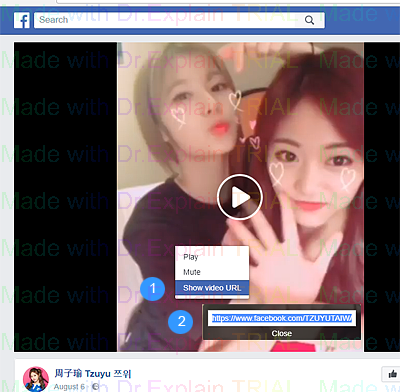
Method 1 and most common
1. Select Show video URL in context menu of Facebook video;
2. Copy Facebook video link to clipboard;
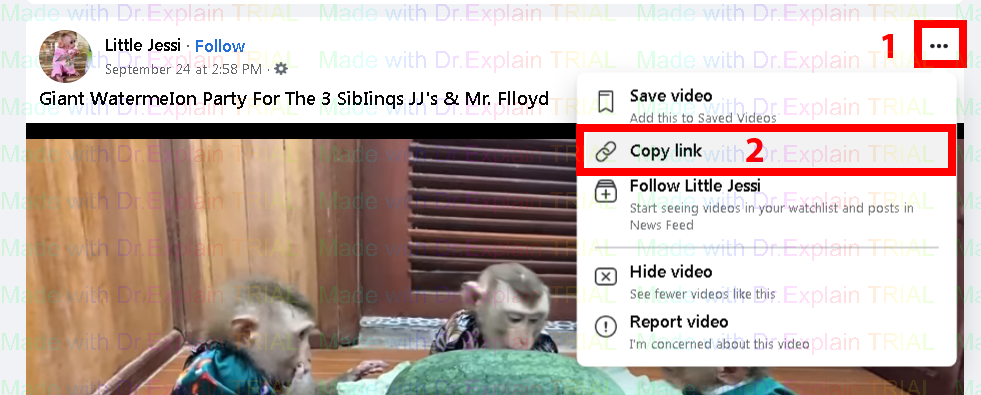
Method 2
1. click on the three dots video menu and select Copy link;
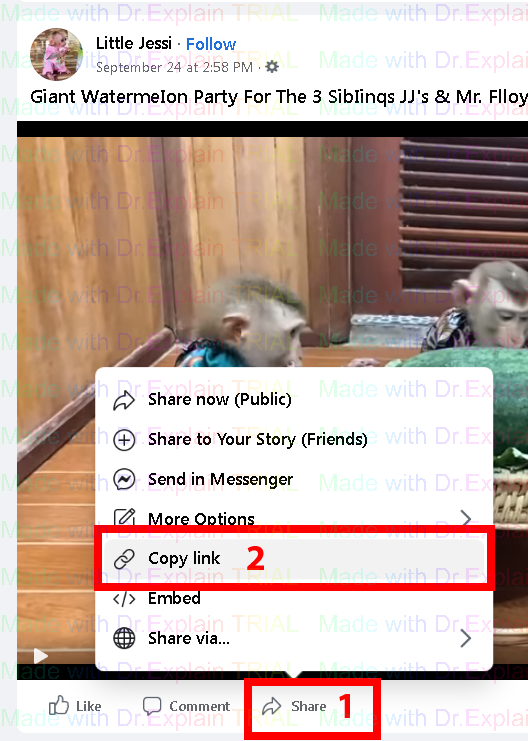
Method 3, no facebook menu to extract the video link
1. Click on the link Share
2. Select the item Copy link
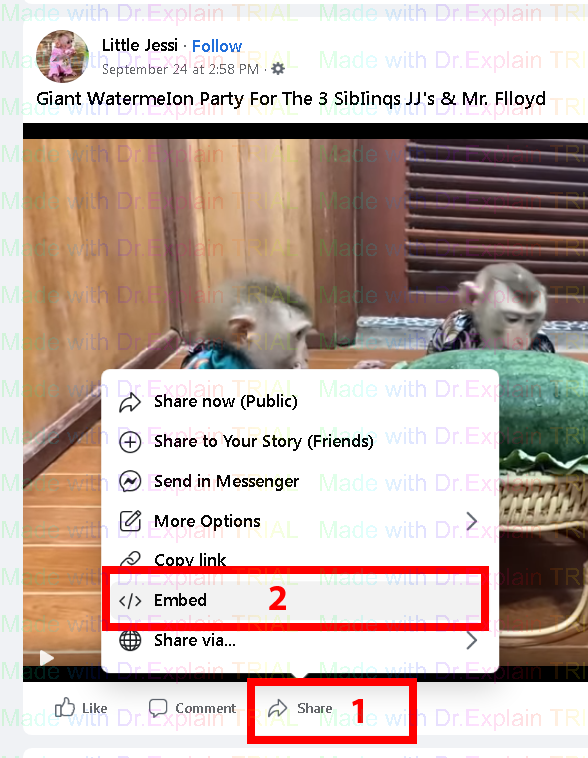
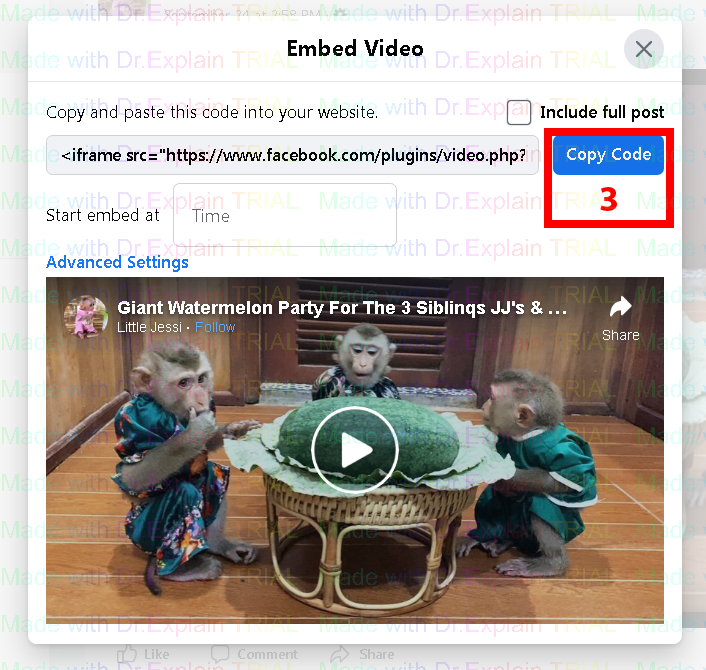
Method 4
1. Click on the link Share
2. Select the item Embed
3. Copy HTML code Copy Code.
Method 5
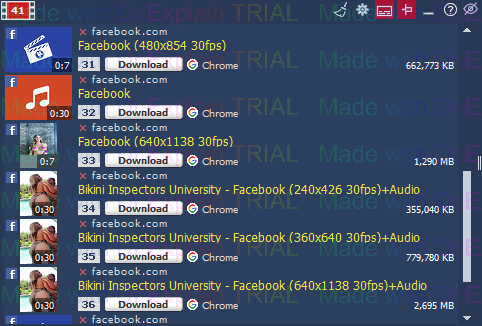
Try capturing video link in your browser. Video Box is a powerful tool that captures any video links on the fly from the browser and displays them in its window. If the video has no sound, try refreshing the page again or close the page and reopen it in another tab. Video Box may not have had time to retrieve the audio track from the browser and attach it to the video.
The help manual was created with Dr.Explain
Unregistered version