
Scheduler
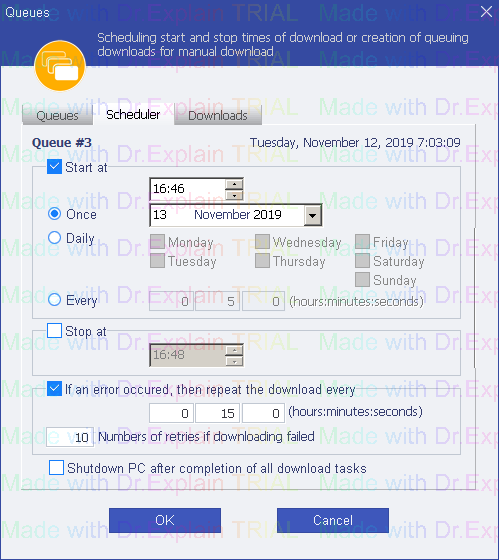
You can schedule to download queue files once, periodically, cyclically, with a stop in time, with repeated downloads when an error is received, and turning off the computer after downloading.
Start in -
-
Once - the download starts once at a specified time. After the scheduler is triggered,Start in sign turns off.
-
Daily - the download starts at specified days and time.
-
Every - the download starts periodically at a time interval after the end of the previous file downloads.
Stop in - stop the download at a specified time.
If an error occured, then repeat the download every - when a file download error is received, the download is repeated periodically at a specified number of times.
Shutdown PC after completion of all download tasks - automatically shutsdown PC via 30 seconds after completion of all the downloads.
The help manual was created with Dr.Explain
Unregistered version