
How to remove integration
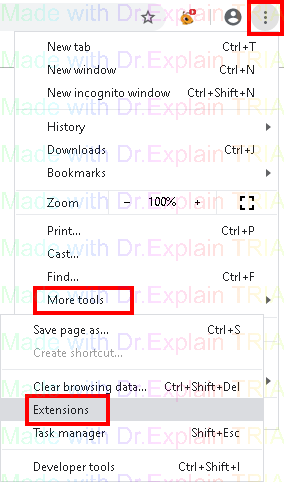
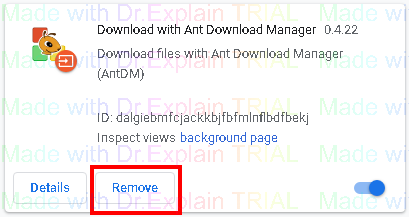
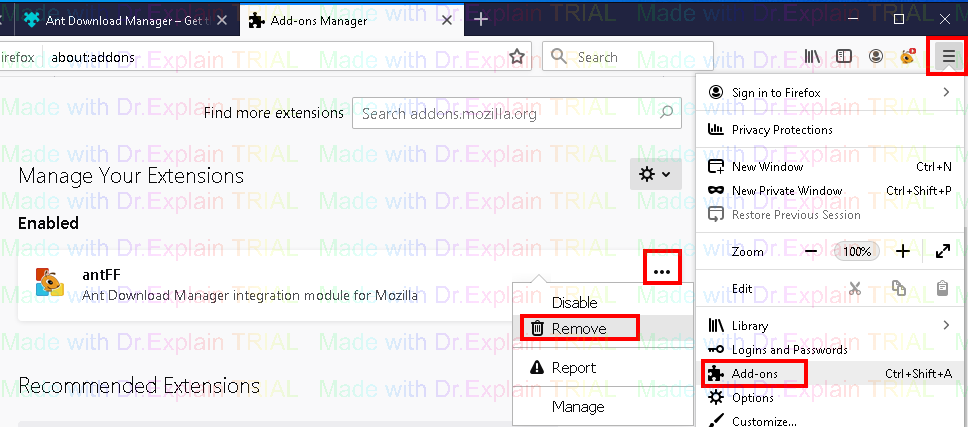
If you do not need into the browser integration (for example, you add links for downloading manually or work in batch mode), you can easily remove it in the browser menu.
For example Google Chrome
for Mozilla Firefox
You can also remove the integration in a less universal way (since it is not suitable for absolutely all browsers) by clicking on the link
The help manual was created with Dr.Explain
Unregistered version